One static IP for every GitHub Actions job
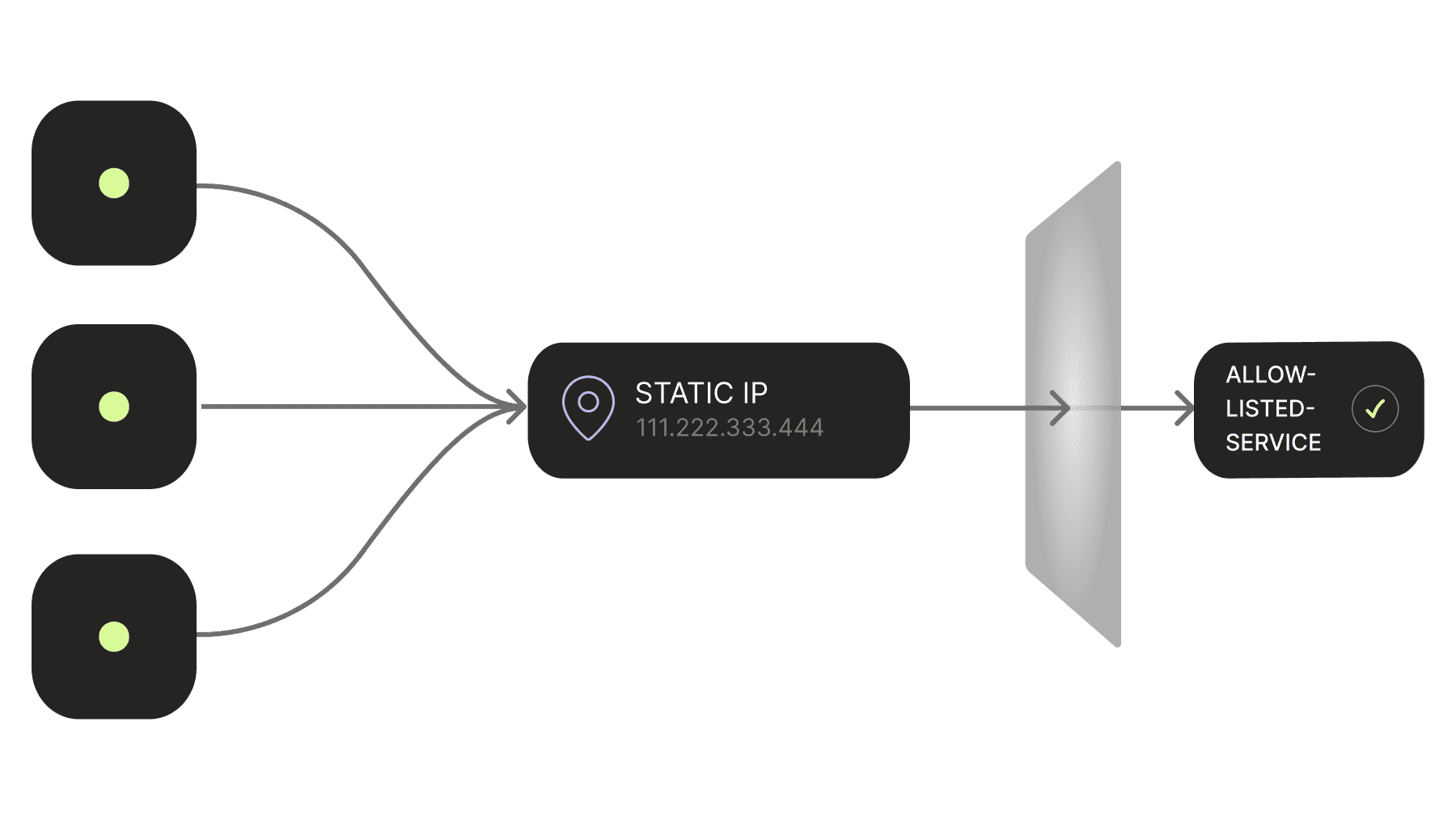

Dynamic runner IPs do not belong in production allow-lists
Standard GitHub-hosted runners use dynamically assigned addresses from shared infrastructure. GitHub publishes the address ranges through its website but the list is large and is updated weekly, and GitHub does not recommend using it as an allow-list for internal resources.
That leaves a bad set of options: open the firewall to broad shared ranges, operate self-hosted runners behind your own NAT gateway, or rely on credentials alone.
CI should not force that choice. A build that deploys to production, downloads from a private package registry, calls a payment processor, or runs migrations against a protected database needs a predictable network identity. It should not need a permanent runner to get one.
One static IP covers every GitHub Actions job
Static-IP egress assigns one public IPv4 address to your Avrea organization. Jobs across repositories, runner sizes, and operating systems use that address when they connect to the services you protect with IP allow-lists.
Your network team adds one /32 entry to a bank's API portal, a SaaS vendor's access policy, a cloud firewall, or an on-premises gateway. Parallel jobs can come and go without changing the rule.
The address belongs to the organization, not to a VM or repository. A fresh VM still starts for every job and disappears when the job finishes. The next VM gets the same outbound identity without inheriting disk state, processes, or credentials from the previous run.
Existing Avrea customers do not need to change a workflow. If you are moving from standard GitHub-hosted runners, the Avrea migration remains a one-line label change.
Keep ephemeral runners without managing a NAT gateway
Self-hosting can produce a known egress IP. It also makes your team responsible for runner images, security updates, autoscaling, capacity, and cleanup. The NAT gateway is the easy part. The runner fleet behind it is the job that keeps growing.
Avrea keeps that work on our side. Your workflow gets a clean hosted VM and your network team gets a stable address. There is no long-lived machine to patch and no shared workspace to scrub between jobs.
Fintech teams can restrict payment and banking APIs to one source. Platform teams can expose a private package registry without accepting traffic from a cloud provider's full runner range. Deployment jobs can reach protected production endpoints without placing the entire CI fleet inside the production network.
Static IP and egress policy solve different sides of the connection
A static source IP tells your service which runner traffic it may accept. An egress policy tells the runner which destinations it may contact. Used together, they put a boundary on both ends of the connection.
Your database firewall can accept connections only from your organization's Avrea static IP. Avrea's per-repository egress firewall can then stop a compromised dependency from sending credentials anywhere outside the destinations you approved.
Turn it on once, then copy the address
Open your organization settings in the Avrea console and select Static IP. Enable static-IP egress, wait for the allocation to finish, then copy the address into the allow-list for the services your workflows need. Allocation usually completes within a minute.
Static-IP egress costs $100 per static IP per month, prorated for partial months. Each organization gets one address shared by its repositories and parallel jobs.
Behind the setting, Avrea routes outbound IPv4 traffic to your destinations through an encrypted tunnel to an Avrea-managed router, which presents the organization's assigned address. Avrea service traffic, including colocated cache traffic, stays on its direct path so the static route does not get in the way of build performance.
Enable static-IP egress in the Avrea console. One address in your allow-list, zero runner fleet for your team to maintain.